Back to Basics: Guide to deep linking
Editor’s note: Updated in October 2025
Today’s users expect convenience and immediacy. A single click needs to take them exactly where they want to go. Not to a homepage, not to a web popup, but directly into the content they care about. That’s why deep linking matters.
What are deep links?
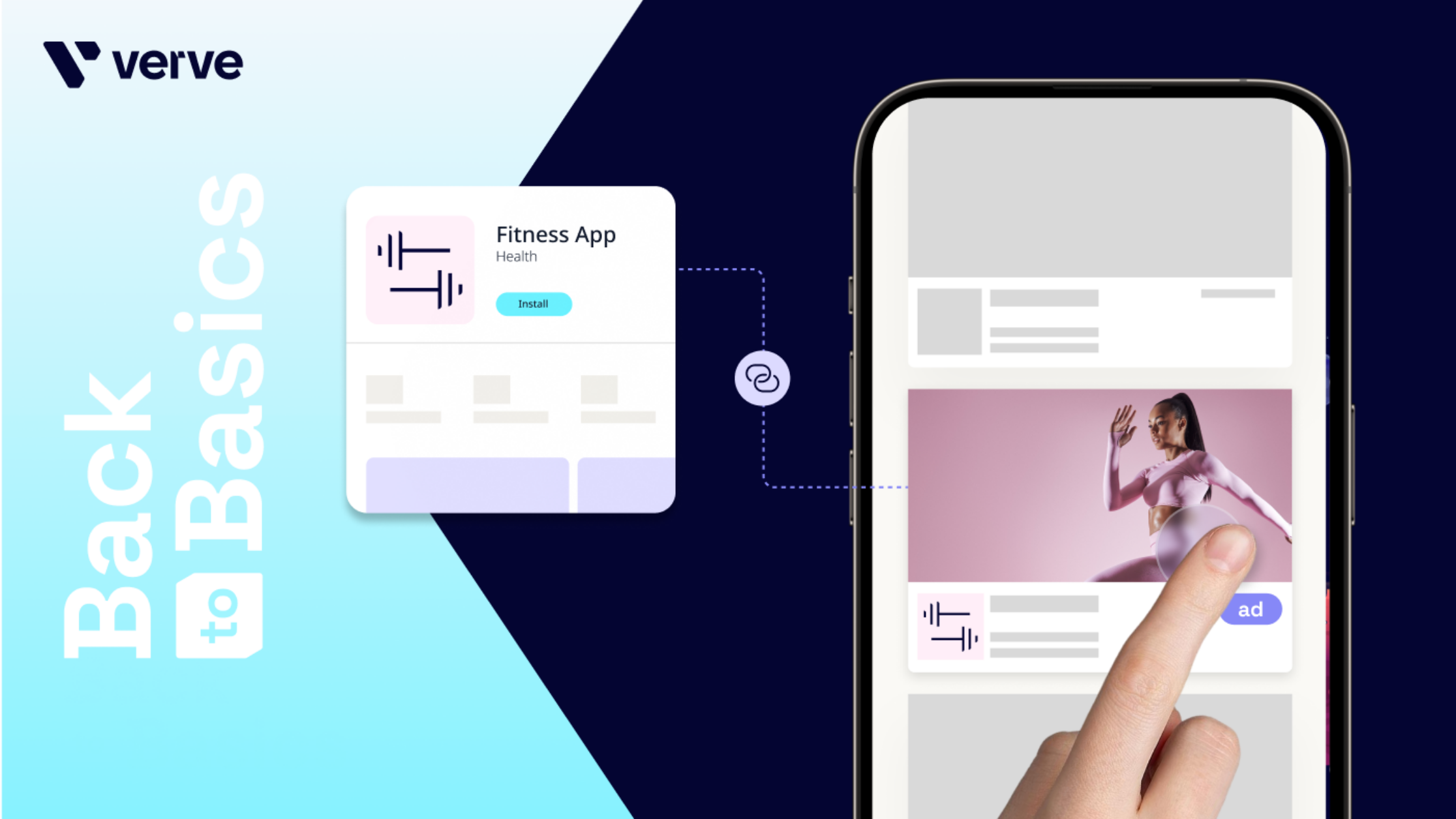
Deep links are embedded URLs that move users into apps with precision. Whether it’s opening an installed app, prompting a download, or sending someone straight to personalized content, deep linking is now a cornerstone of mobile marketing and monetization strategies.
Types of deep links
Standard deep links
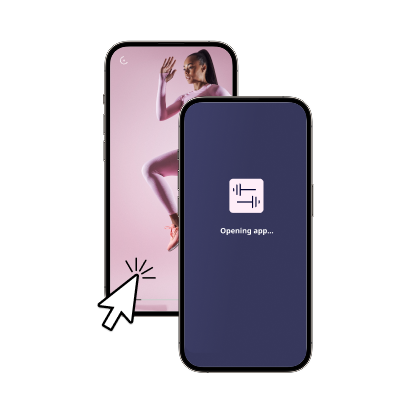
When tapped, a standard deep link launches an already installed app on the user’s device. Instead of landing on a generic website or store page, the user is taken straight to the app’s launch screen.
Deferred deep links
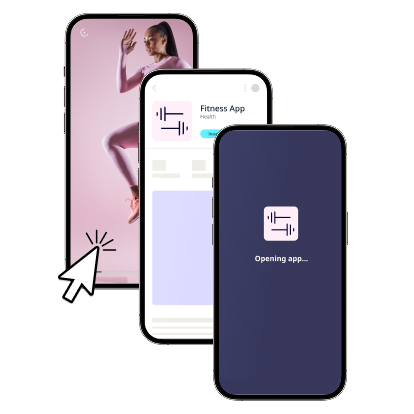
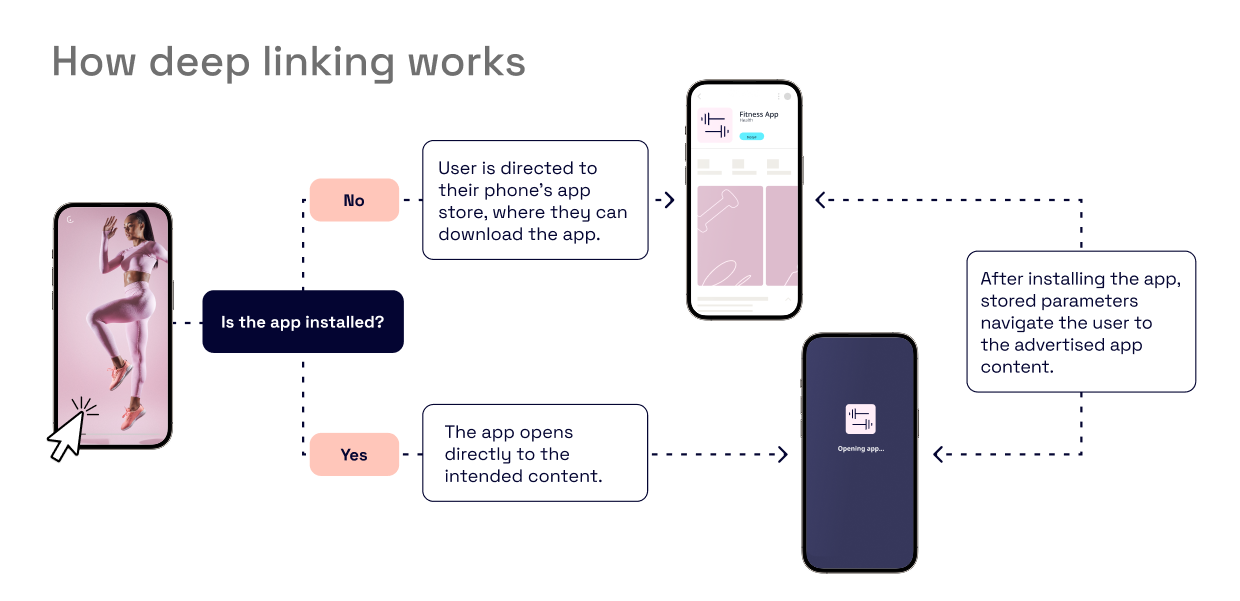
What if the app isn’t installed? Deferred deep links solve this. They route the user to the App Store or Google Play to download the app — and after installation, the app automatically opens to the intended destination.
Example: A fitness influencer shares an ad for a new workout app. Even if users don’t have it installed, one tap takes them through the download process and then directly into the app’s welcome screen.
Contextual deep links
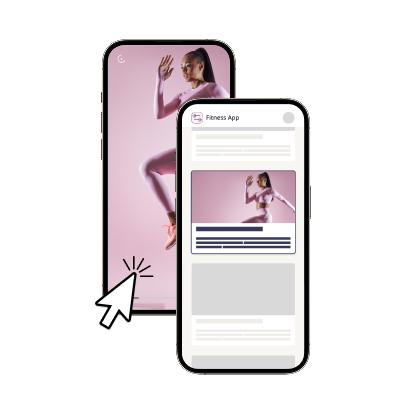
Contextual deep linking takes it further by embedding contextual data. These links carry parameters that guide users to specific in-app content once the app opens. They work across both standard and deferred flows.
Example:
- A travel ad takes the user directly to a hotel search result for Miami in their booking app.
- A restaurant app ad opens to a menu filtered by the user’s location.
- A music app deep link launches a curated playlist tied to the ad creative.
This precision creates a frictionless experience and drives higher engagement.
At its core, deep linking is about directing users to the right destination inside an app using a specialized URL schema or universal link. Here’s the step-by-step process:
- User clicks the link
From an ad, email, social media post, etc. - The operating system parses the link
- On iOS, this uses Universal Links, which tie standard web URLs to an app.
- On Android, App Links perform the same function.
- App association is checked
The OS determines whether the app is installed and whether it recognizes the URL schema. - Destination routing happens
- If the app is installed, the link opens the app directly to the intended content.
- If the app is not installed, the link sends the user to the App Store or Google Play for installation (i.e., deferred deep linking).
- Parameters are passed
The deep link may include campaign IDs, product SKUs, or other metadata. When the app opens, it uses these parameters to display the exact screen or piece of content. - Deferred continuity
For first-time installs, once the user downloads and opens the app, the stored parameters are delivered so the user lands on the intended page (not just the home screen).
Benefits of deep linking for advertisers
Deep linking is more than just a shortcut. It’s a performance driver:
- Better attribution: Deep links provide privacy-safe insights into user journeys without relying on device IDs, making them fully compliant with today’s privacy frameworks (including iOS 14.5+).
- Higher engagement: By sending users straight to relevant content, campaigns feel personalized and reduce drop-off.
- Stronger ROI: Improved targeting and post-click measurement help marketers optimize acquisition and re-engagement campaigns.
In 2025, personalization is a differentiator. Deep linking transforms ads into experiences that meet users where they are.
Benefits of deep linking for publishers
For publishers, deep linking enhances both user experience and monetization:
- Personalized journeys: Ads deliver users into in-app environments that feel useful, not disruptive.
- Device-agnostic: Deep linking works across platforms, devices, and ad formats.
- Simplified monetization: With schema support built into our SDK, publishers can unlock deep linking campaigns with minimal setup.
This can lead to more satisfied users and stronger revenue streams.
How StoreKit Auto Open fits in
While deep links streamline the path into an installed app, Apple’s StoreKit Auto-Open (sometimes called Auto-StoreKit) solves a slightly different challenge: what happens right after a user interacts with an ad for an app they don’t yet have installed. With this feature, the App Store page for the advertised app automatically opens after the ad finishes, removing extra clicks and reducing friction in the install flow.
Unlike deep linking, which routes users directly into app content, StoreKit Auto-Open focuses on improving install conversion rates by shortening the journey between ad engagement and download. Together, these two technologies complement one another. Deep links enhance post-install engagement, while StoreKit Auto-Open maximizes the chance that an install happens in the first place.
Deep linking and the future of mobile monetization
The app economy is increasingly competitive, and relevance is the currency. Deep linking ensures every ad click has purpose, shortening the path from awareness to action while protecting user trust.
Whether you’re a marketer optimizing acquisition or a publisher improving monetization, deep linking is no longer a “nice to have.” It’s the standard for delivering seamless, contextual app experiences.